Mail Toolbox for Gmail™
Your Gmail, finally under control.
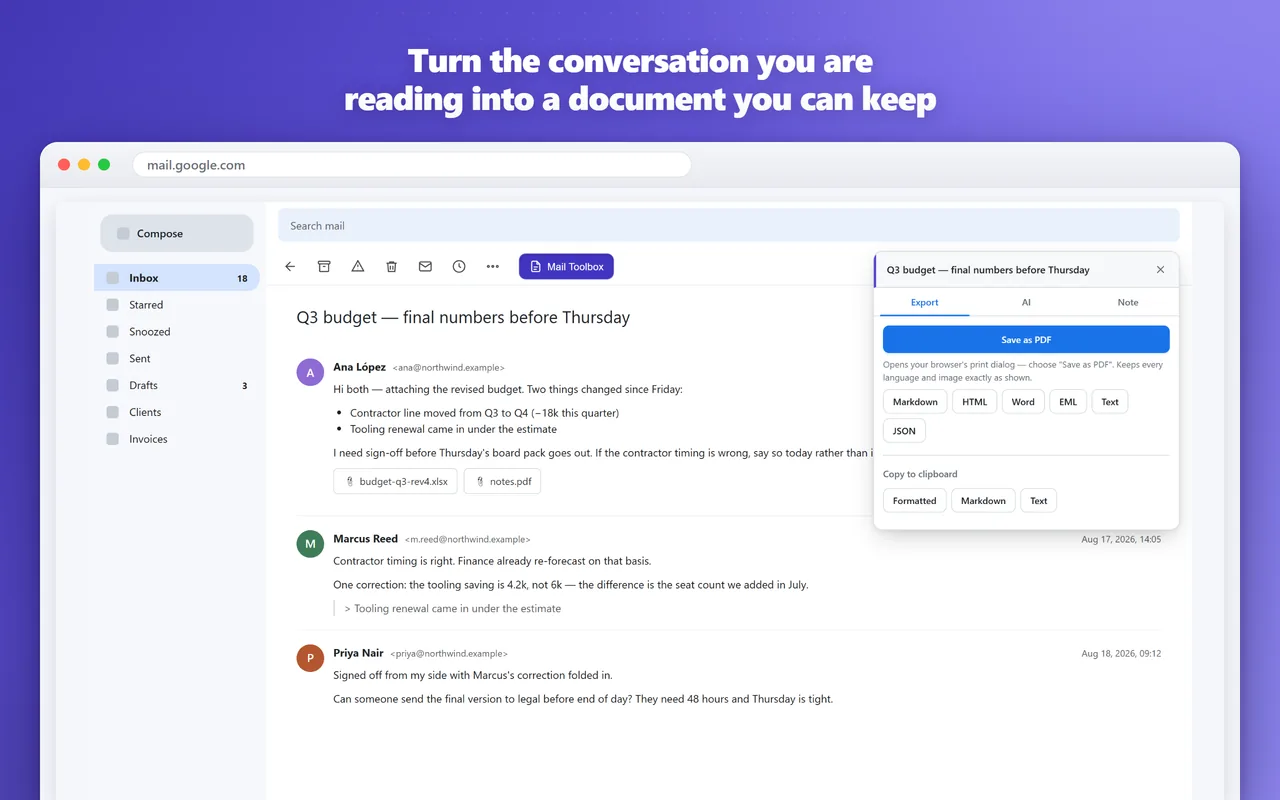
Export, summarize and annotate without ever leaving your inbox. Any conversation becomes a PDF, Word file or Markdown note; AI reads the whole thread and hands back a summary with action items or a reply in your own tone; private notes pin to the messages that matter. It never asks for access to your Google account — no OAuth, no Gmail API. Gmail is a trademark of Google LLC; Mail Toolbox is an independent product.
What it does
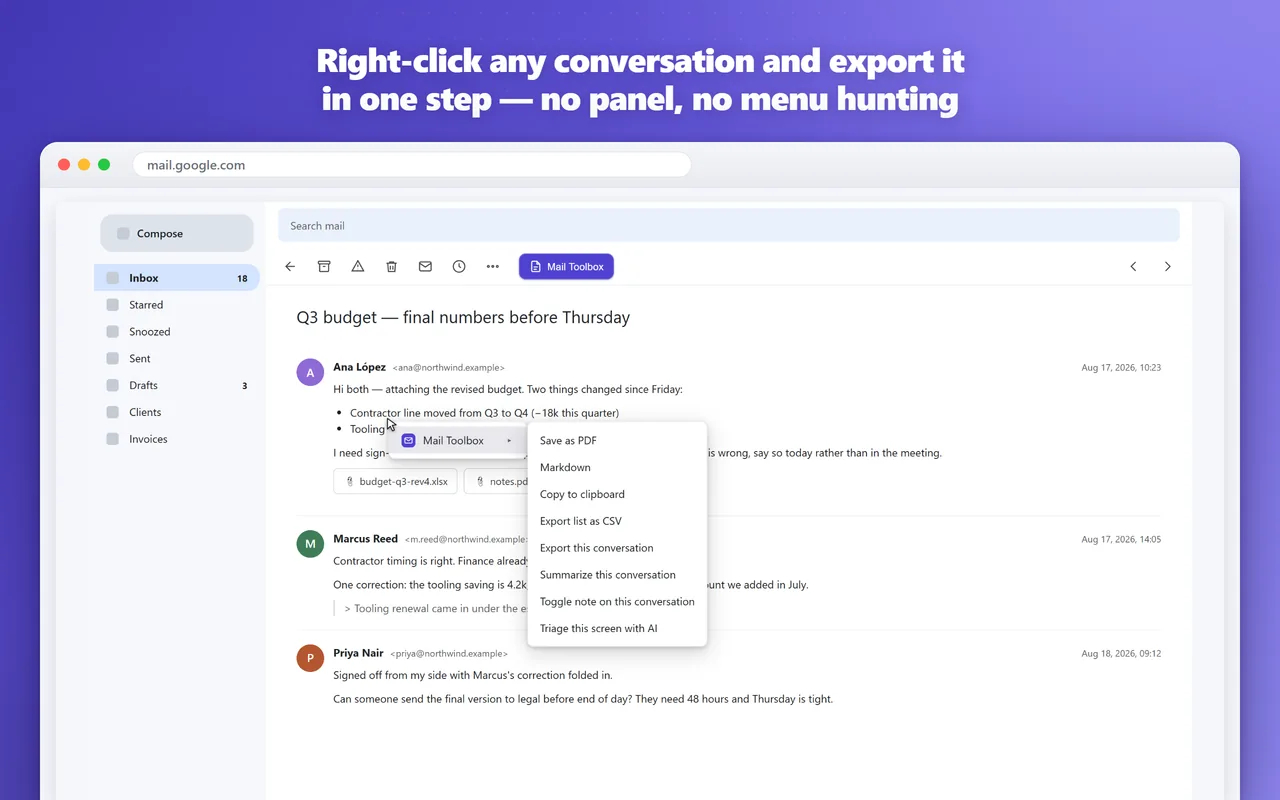
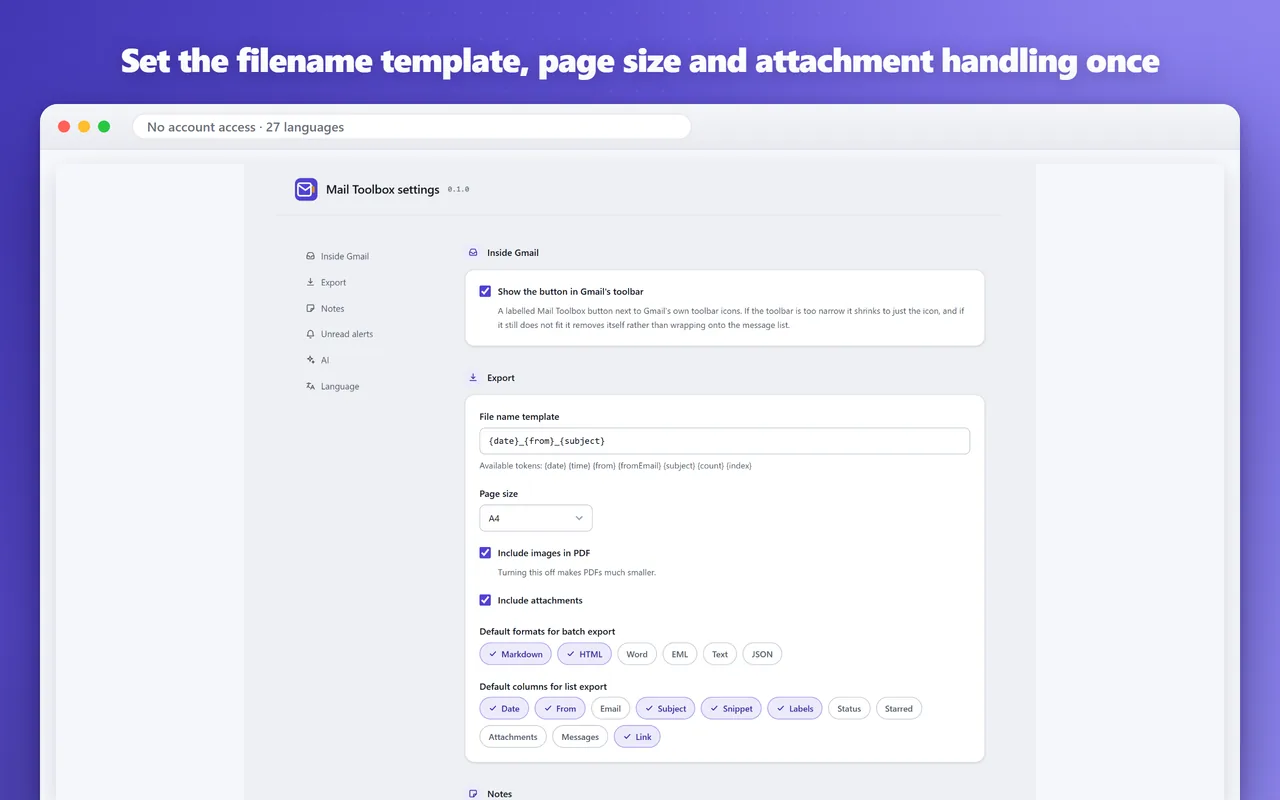
- Export a whole conversation as PDF, Word, Markdown, HTML, EML, JSON or plain text, attachments included — the Markdown ships with YAML front matter, so it drops straight into Obsidian or Logseq
- Batch export tucks any number of threads into one tidy ZIP or merges them into a single PDF, and the message list itself exports to CSV or Excel
- AI that reads the entire thread: summaries with action items, replies in the tone you pick, full-thread translation, and structured data pulled out of invoices and bookings
- Private notes on any conversation, with a colour dot in the message list marking what you have annotated — plus unread alerts across several accounts and labels that only fire on genuinely new mail
- It never asks for access to your Google account: no OAuth token, no Gmail API, just the conversation you have open in the browser session you are already signed in with
Screenshots
Frequently asked questions
Do I have to give it access to my Google account?
No. Mail Toolbox never asks for Google OAuth permissions and never uses the Gmail API. It works with the conversation you have open, through the browser session you're already signed in with.
What works without an account?
Exporting, batch export, private notes and unread alerts all work without an account. You only need one for the AI features, which run on our servers and use credits.
Does PDF export handle non-Latin languages?
Yes. Instead of a JavaScript PDF library, Mail Toolbox prepares a clean printable page and hands it to your browser's own print engine, so Chinese, Japanese, Arabic, Hebrew and inline images come out exactly as they appear.
Which browsers are supported?
Chrome and Chromium-based browsers such as Edge, Brave, Vivaldi, Arc and Opera.
What's new
All updatesPick the AI language per feature, with clearer progress while it works
Summaries, replies, translation and data extraction each remember their own output language, chosen right next to the button. While a task runs, only that card shows progress and turns into a stop button. A manually chosen interface language now also applies inside the Gmail side panel.