
ScrnCap – Screenshot & Full Page Capture
Screenshot any page. Then make it yours.
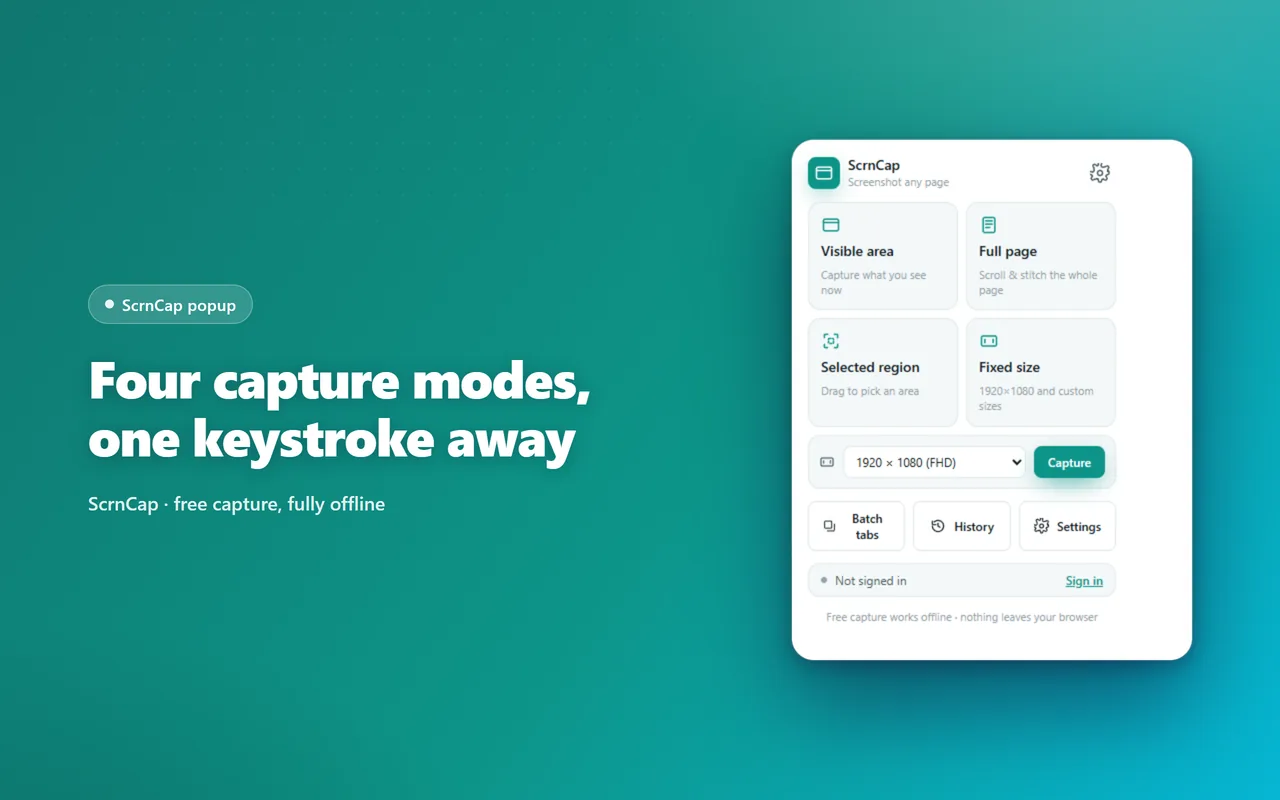
Capture the visible area, the whole scrolling page, a region you draw or an exact size — then crop, annotate and blur right where you took it, and export to PNG, JPG, WEBP or PDF. Capturing stays free, offline and account-free; Pro adds beautified exports, batch capture and project files, all composed in your browser.
What it does
- Four capture modes — visible area, full scrolling page, a region you drag, or an exact size
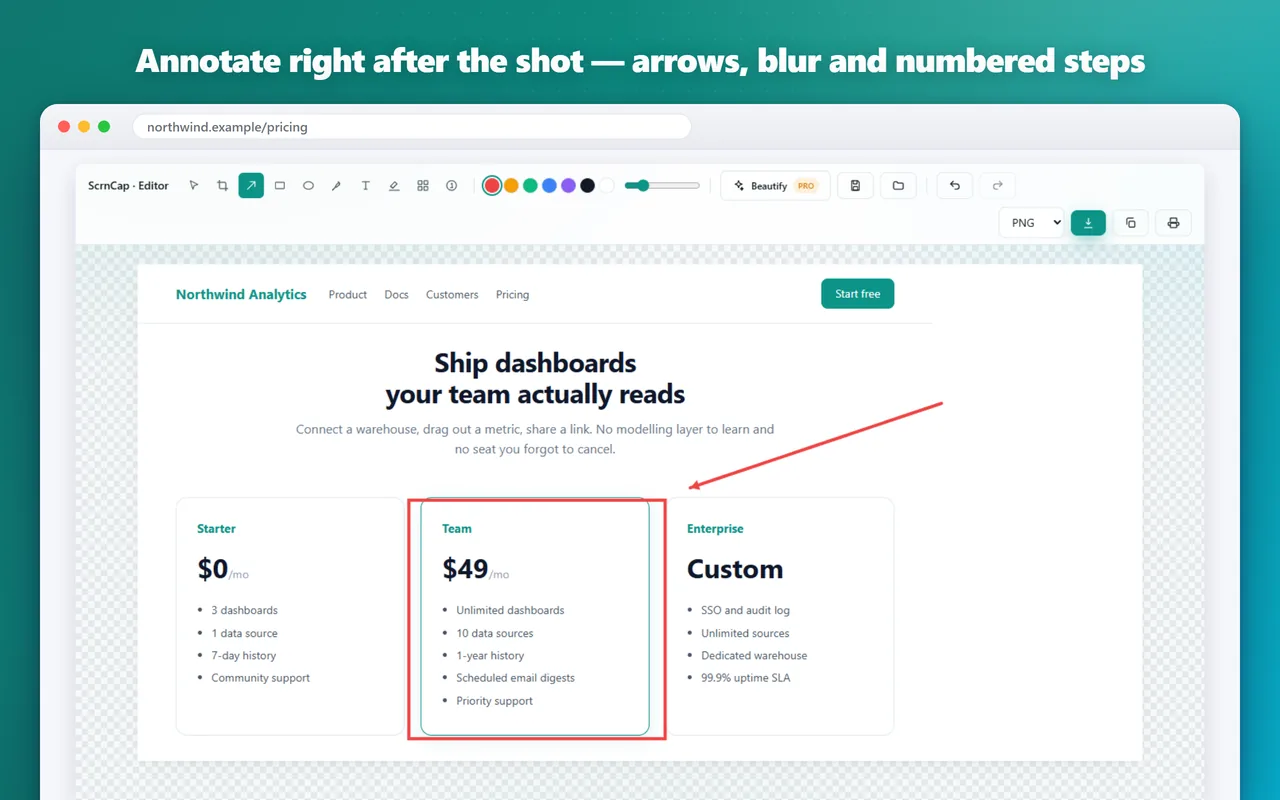
- A real annotation editor: crop, arrows, text, highlighter, mosaic, blur and numbered steps
- Export to PNG, JPG, WEBP or PDF, or send it straight to the clipboard
- Send to AI in one click: copies the shot and opens ChatGPT, Claude or Gemini ready to paste
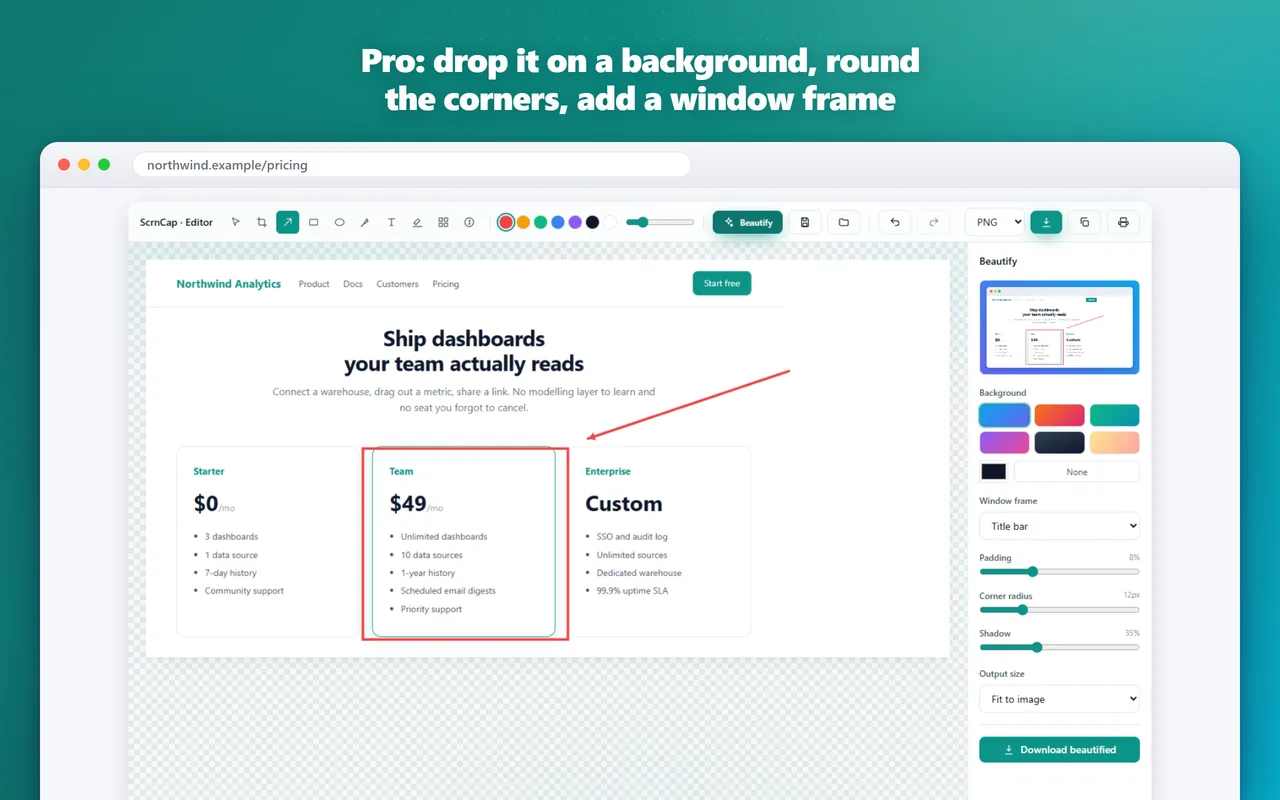
- Pro adds beautified exports, URL-list batch capture with your own watermark and re-editable .scrncap project files — every pixel composed in your browser, images never uploaded
Screenshots
Frequently asked questions
What's free in ScrnCap?
Every capture mode, the annotation editor, PNG, JPG, WEBP and PDF export, printing and copying to the clipboard — free, offline and without an account. Pro adds the finishing work: beautified exports, batch capture with your own watermark, and re-editable project files.
Are my screenshots uploaded?
No. Capture, annotation and export all happen on your device, and the free capture path makes no network requests at all. An account is only used to unlock Pro.
Does full-page capture handle long pages?
Yes. ScrnCap scrolls the page in steps, captures each view and stitches them into one image, hiding sticky headers so they don't repeat. For very tall pages, exporting to PDF splits the result into pages.
Are there pages it can't capture?
Chrome doesn't let any extension run on its internal chrome:// pages, the Chrome Web Store or other extensions' pages. Everything else works normally.
What's new
All updatesBeautified exports, batch capture with your watermark, and project files
Drop a screenshot onto a background with rounded corners and a window frame, capture a list of pages in one go with your own watermark, and save re-editable .scrncap project files. All of it is composed in your browser — images are never uploaded.