FeedLens — AI RSS Reader
Turn the RSS firehose into a 5-minute brief.
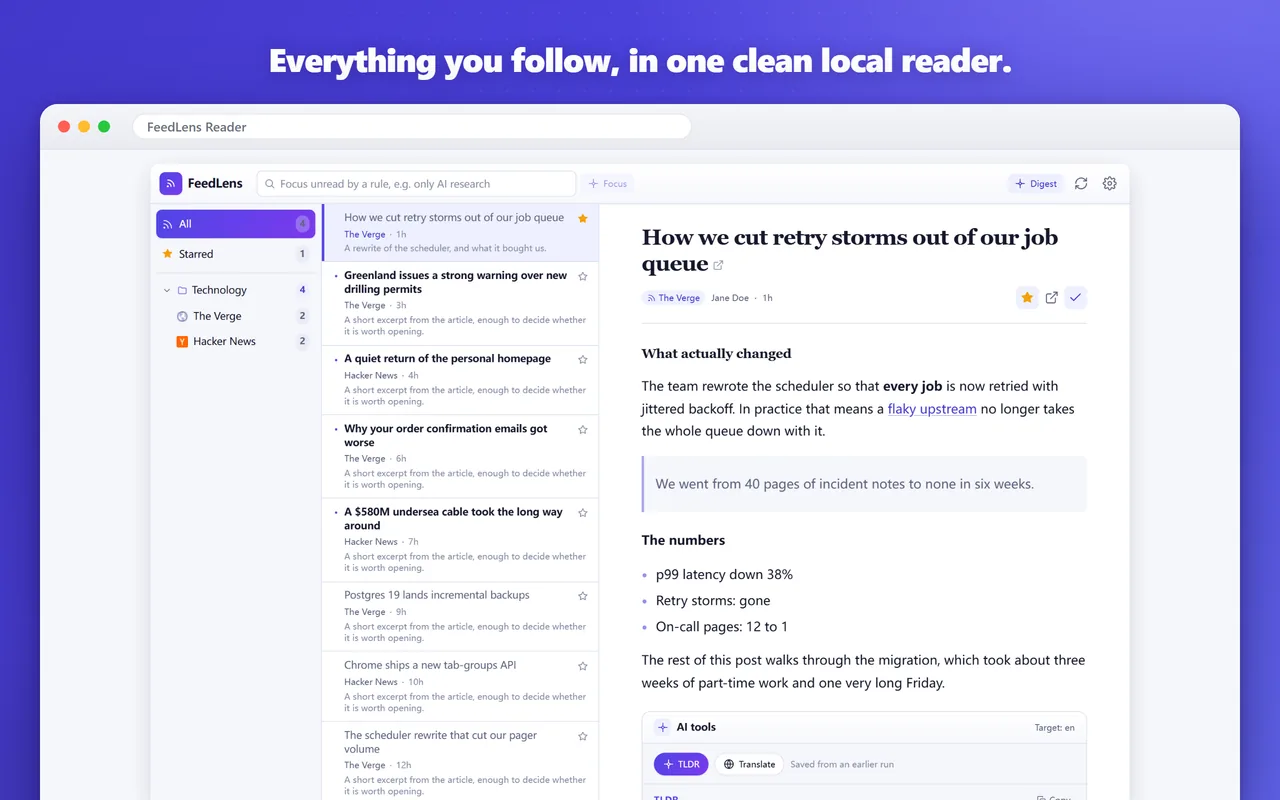
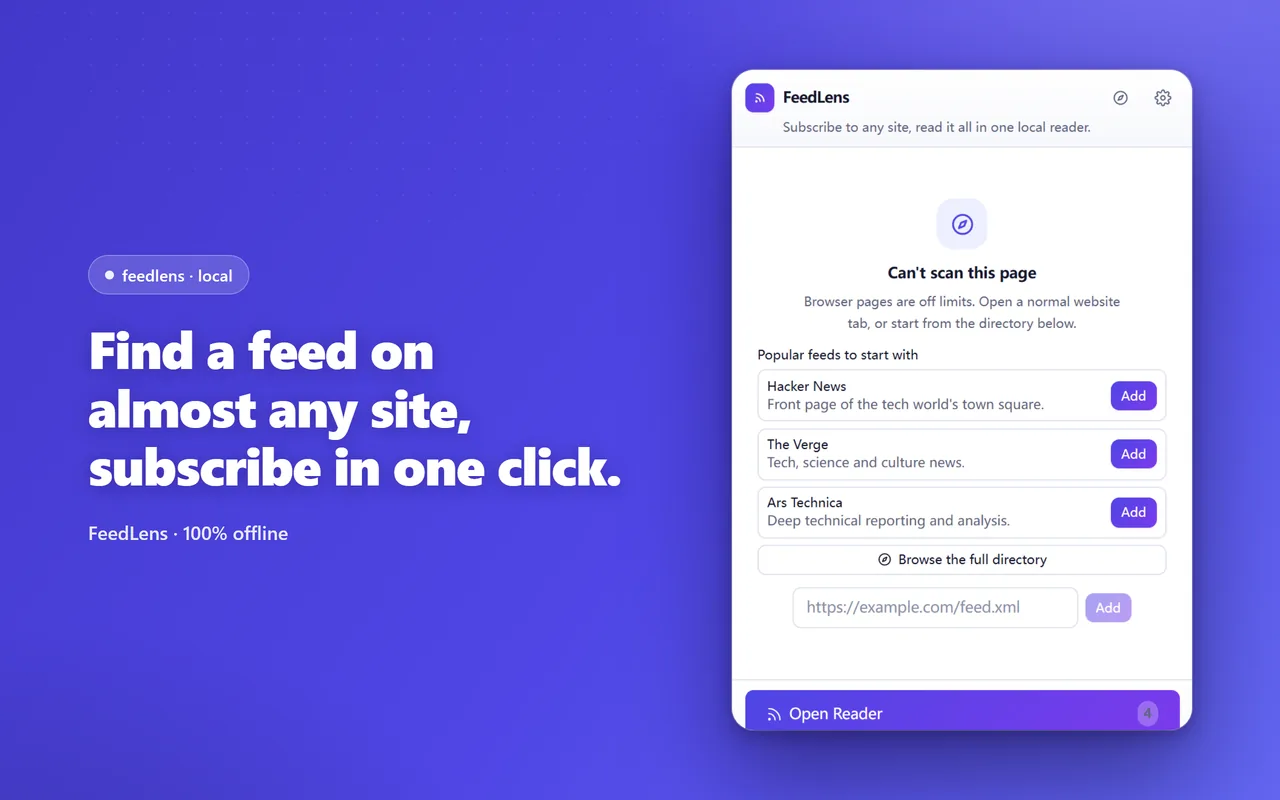
A local-first RSS reader that lives in your browser. FeedLens finds a feed on almost any site, keeps everything in one clean three-pane reader, and — only if you ask for it — lets AI summarise, translate and digest the unread pile.
What it does
- One-click discovery: finds a feed on almost any page, even when the site hides it
- A clean three-pane reader with folders, unread counts, stars and keyboard navigation
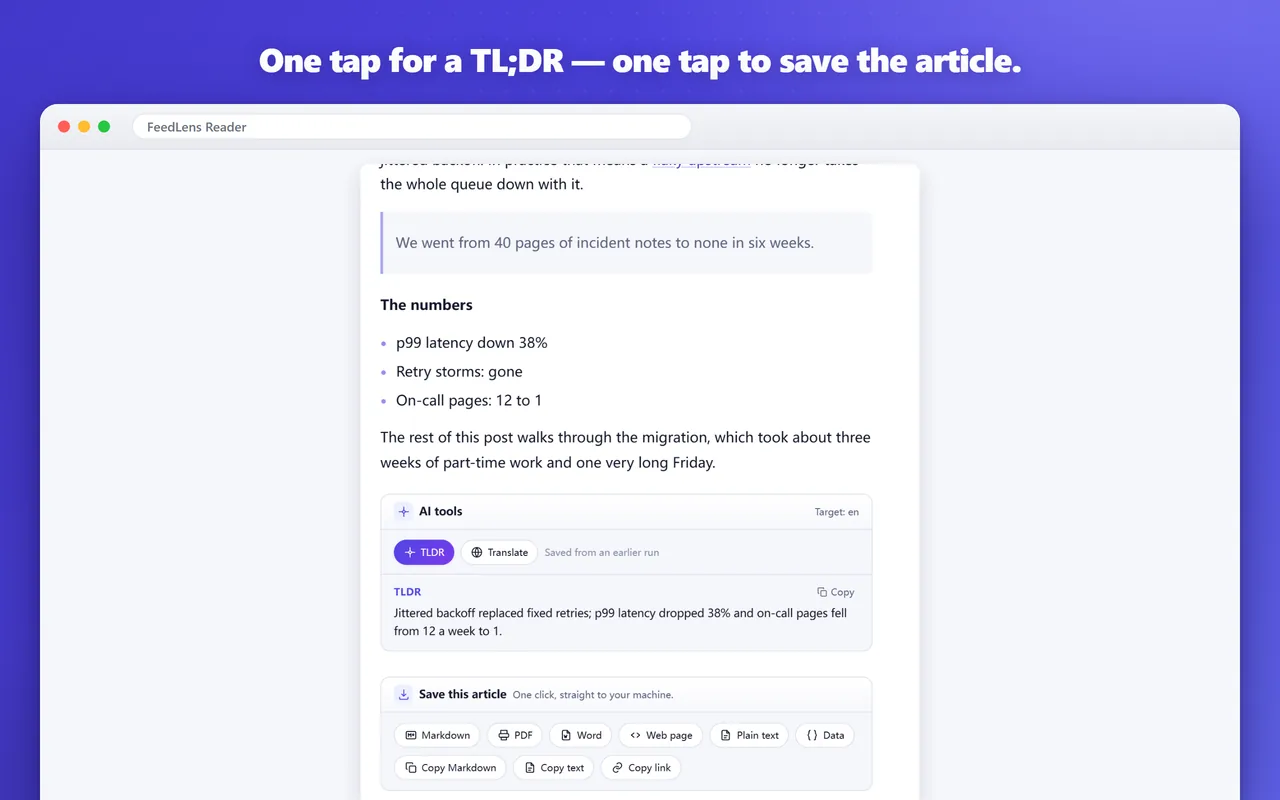
- Opt-in AI: one-tap TL;DR, translation, a daily digest and plain-language Focus filtering
- Save any article to your own machine — web page, print-ready page, Word document, notes text or structured data
- OPML import and export plus a full local backup; no account needed to read
Screenshots
Frequently asked questions
Do I need an account to read feeds?
No. Subscribing and reading are free and need no account. You only sign in if you want the AI features, which run on credits.
Where are my subscriptions stored?
In your browser. Feeds, folders, read state, stars and cached articles stay on your machine — we never see them.
Is the AI on by default?
No, it stays off until you turn it on. Once enabled it can write a TL;DR, translate an article, build a digest of your unread items and filter by a rule you describe in plain language. Only the text you act on is sent.
Which feed formats are supported?
RSS, Atom, RDF and JSON Feed. FeedLens can also find the feed behind most sites even when it isn't linked, and you can import and export your subscriptions as OPML.
What's new
All updatesFeedLens is here — a local-first RSS reader for Chrome
Find the feed behind almost any site, read everything in a clean three-pane reader that stays in your browser, and turn on AI summaries and digests only if you want them.